Example app
React + TanStack Table example
A data table where search, column filters, sorting and paging all run on the server through a single fastapi-fsp endpoint.
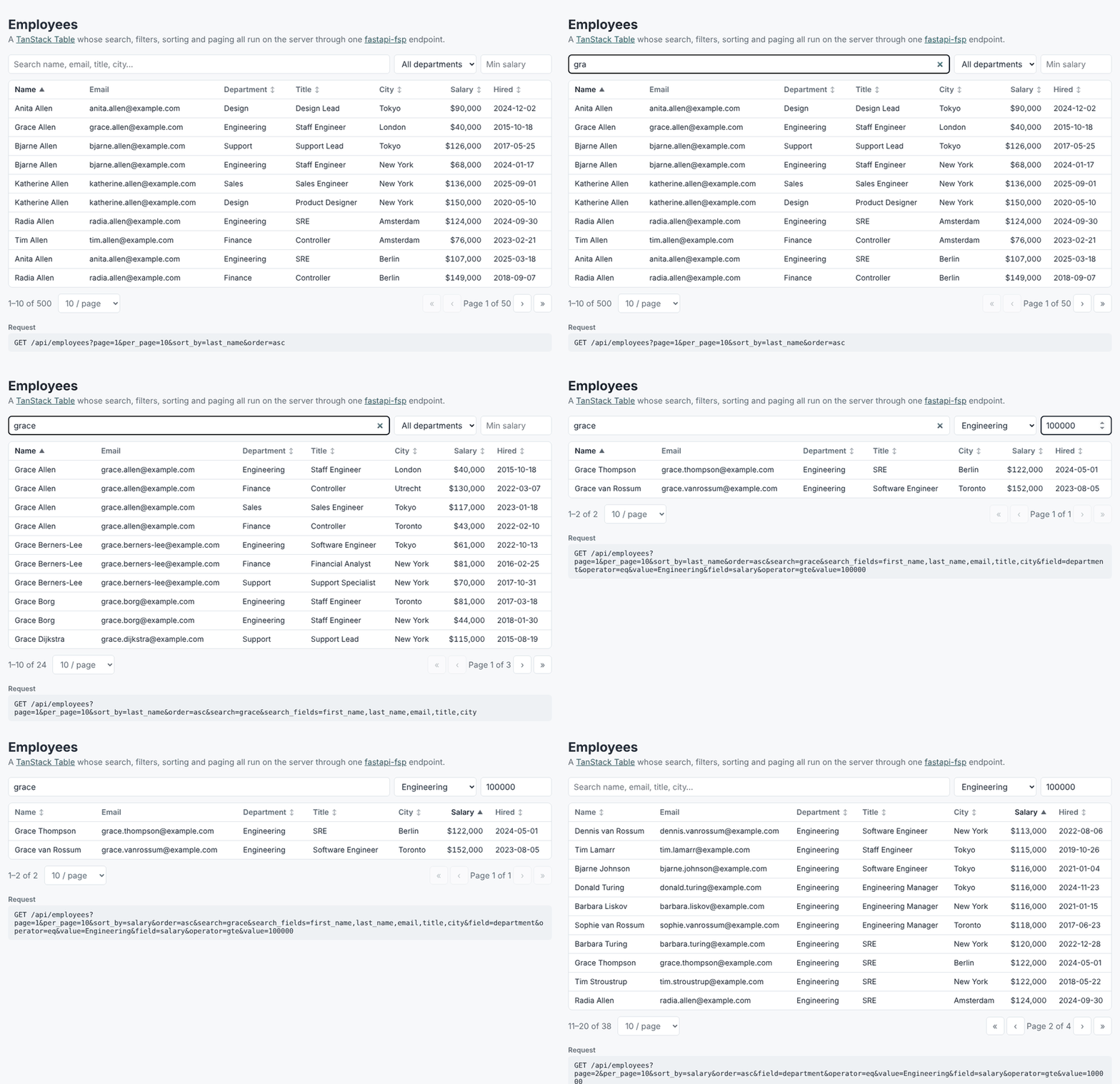
- Backend (
backend/app.py): FastAPI + SQLModel with 500 generated employees in an in-memory SQLite database. The whole list endpoint is one line:fsp.apply_config(config).generate_response(select(Employee), session). - Frontend (
frontend/src): React and TanStack Table in manual (server-side) mode.api.jsturns the table state into query parameters.
How the table maps to query parameters
| Table control | Query parameters |
|---|---|
| Search box | search=grace&search_fields=first_name,last_name,email,title,city |
| Department dropdown | field=department&operator=eq&value=Engineering |
| Minimum salary | field=salary&operator=gte&value=100000 |
| Click a column header | sort_by=salary&order=desc |
| Pager, rows per page | page=2&per_page=25 |
The total count for the pager comes from meta.pagination in the response.
Run it
You need uv and Node.js 20 or newer.
Start the API from a clone of this repository (it uses the local fastapi_fsp package):
cd examples/react-table/backend
uv run --with uvicorn uvicorn app:app --reload
Or, outside the repository, install the released package:
pip install fastapi-fsp uvicorn && uvicorn app:app --reload.
In a second terminal, start the frontend:
cd examples/react-table/frontend
npm install
npm run dev
Open http://localhost:5173. Vite forwards /api to the API on port 8000, and the
interactive API docs are at http://localhost:8000/docs.